Label
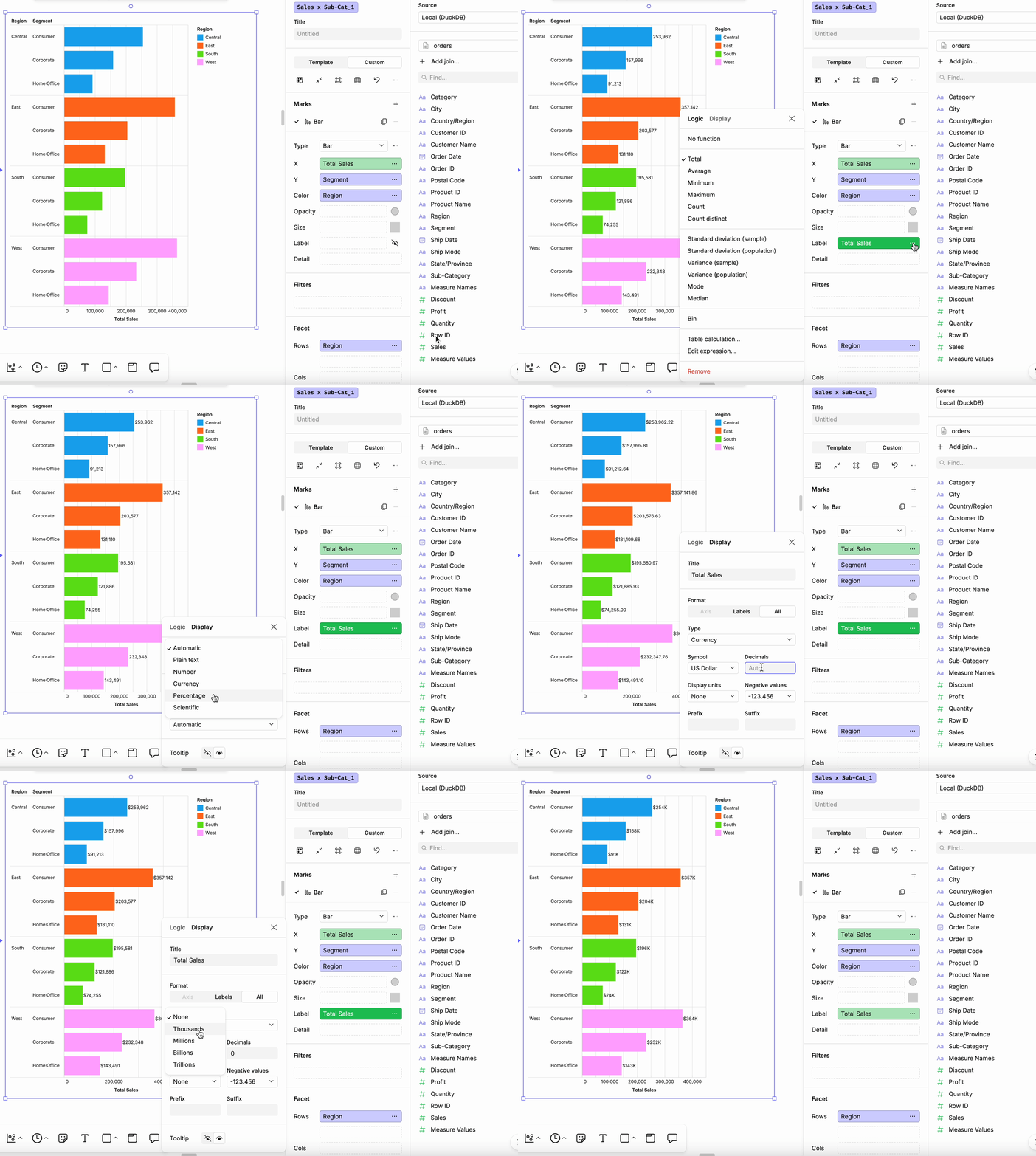
To add and format data labels in your chart:
- Add a Label: Drag a column into the Label field of the design bar (from either the Template or Custom tab).
- Format the Label: Click the ellipsis (…) next to the Label field, go to the Display tab, choose a Type, and update the relevant fields for that data type.
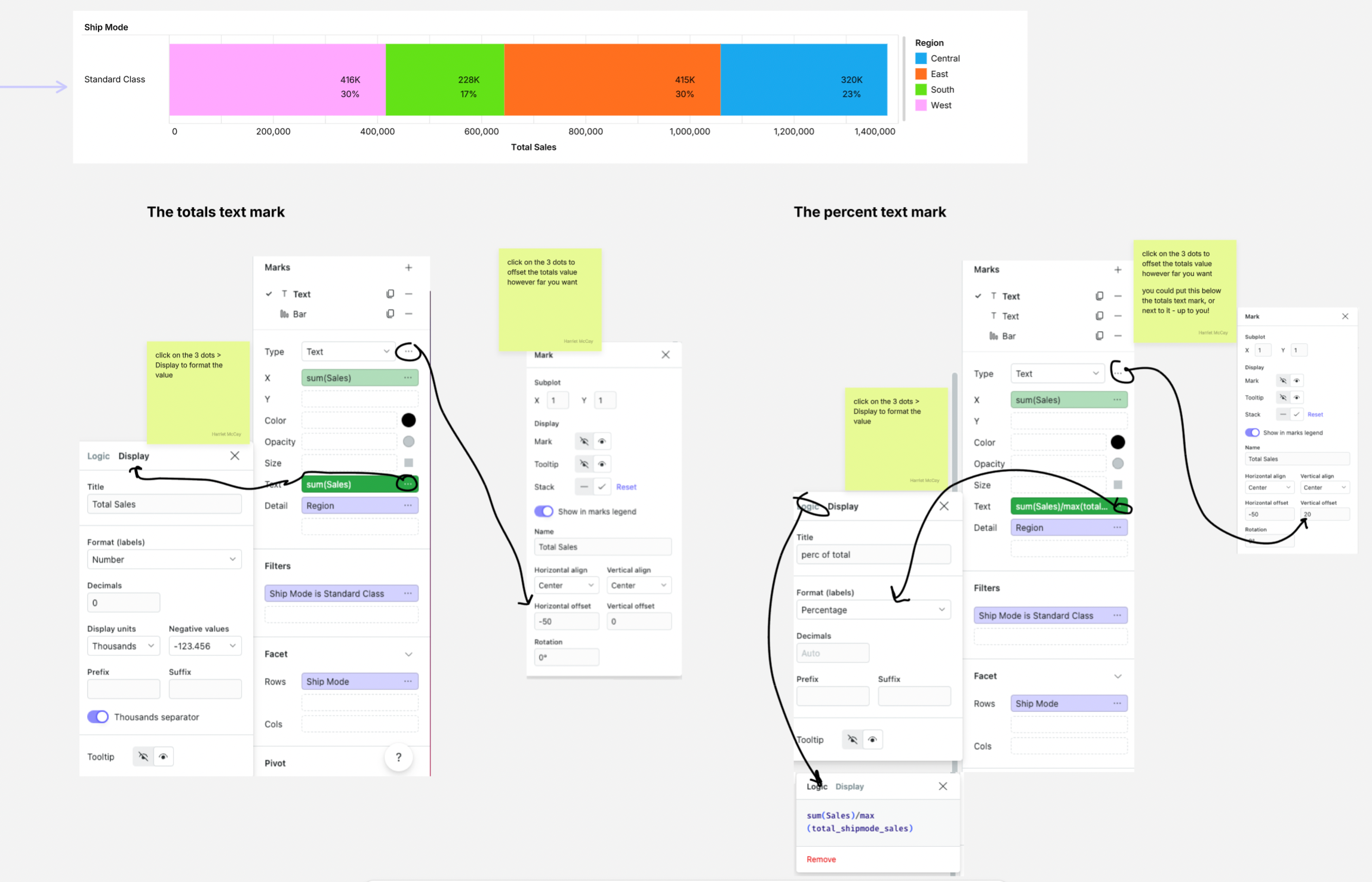
You can also use a Text Mark to add a label to your chart.
Troubleshoot
Customizing labels on barcharts
When customising labels on a chart beyond a single field, you have two main options:
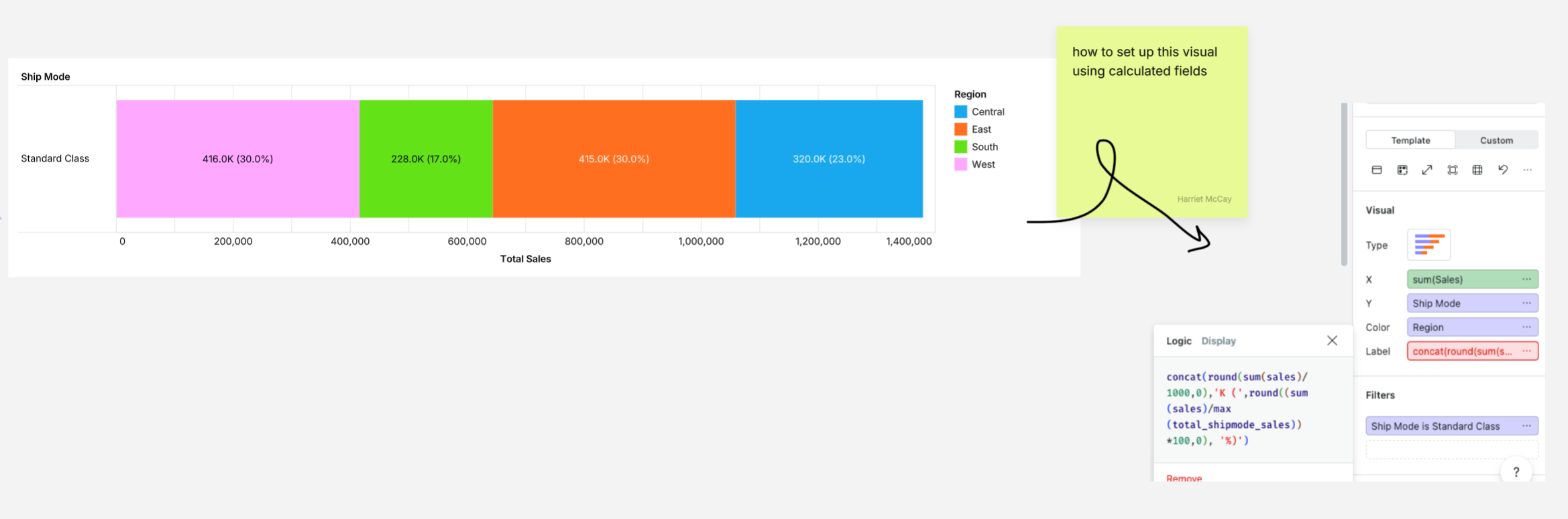
1. using calculated fields in a label
2. using text marks over the bar chart
Option 1: using calculated fields in a label
Option 2: using text marks over the bar chart