View YAML: Fields
You can extensively customise your views in YAML. Below is the schema and some examples to get you started.
Fields Schema
| Field name | Description |
|---|---|
| fields | A list of fields that are available in the view. |
| fields[*].name | The name of the field. Must be unique within this view. |
| fields[*].label | A user-friendly label for the field. This is what is displayed in the UI, and defaults to the name. Optional. |
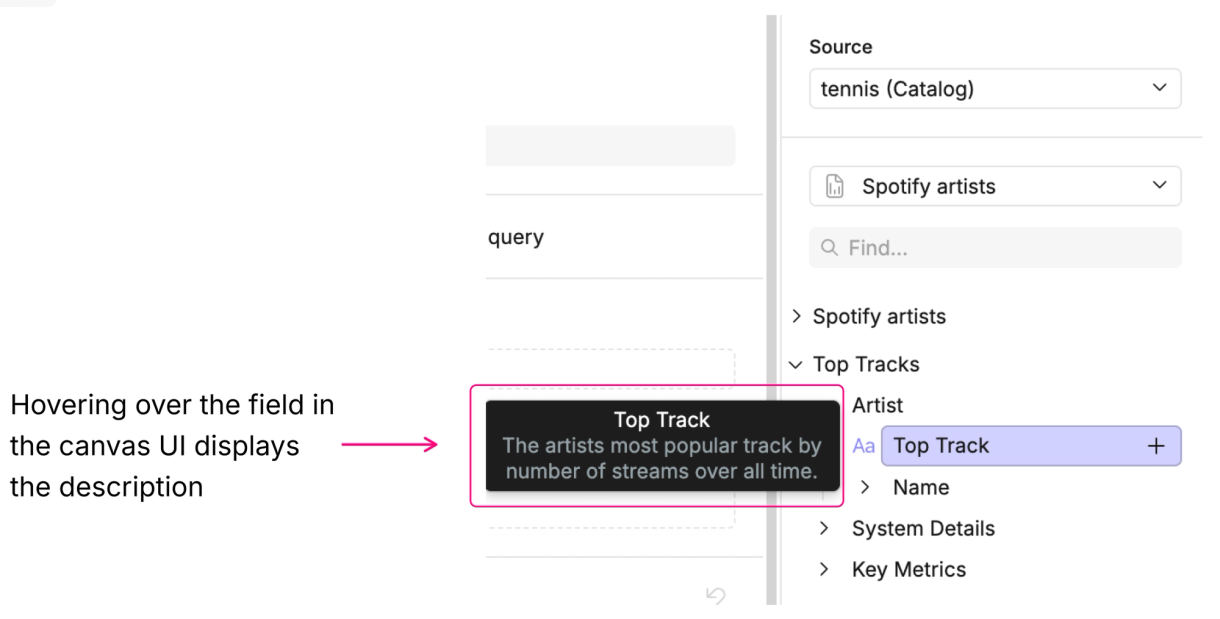
| fields[*].description | A description of the field. This is shown in the UI when the field is hovered over. Optional. |
| fields[*].expression | The SQL expression that defines the field, defined in the dialect detailed here. Defaults to the name of the field. Optional. |
| fields[*].type | The type of the field. This can be one of string, number, integer, date, or boolean. If unspecified, this defaults to string. Optional. |
| fields[*].group | Places the field within a group of this name in the UI. Optional. |
| fields[*].primary_key | Whether or not the field is a primary key. Optional. |
| fields[*].hidden | Whether or not the field is hidden. Useful for joining keys you don't want to expose in the UI. Optional. |
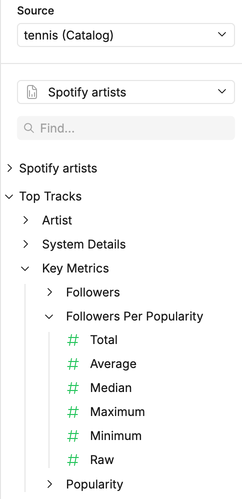
| fields[*].aggregates | A list of aggregates to apply to the field: count, count_distinct, sum, avg, median, mode, max, min, stddev_pop, stddev_samp, var_pop, var_samp, null (where null means no function is applied). These will appear as a collapsible group in the UI. Optional. |
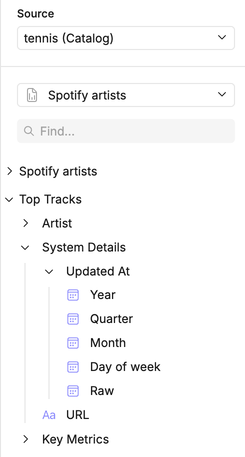
| fields[*].timeframes | A list of timeframes by which to group the field: year_trunc, quarter_trunc, month_trunc, week_trunc, day_trunc, hour_trunc, minute_trunc, second_trunc, year, quarter, month, week, day_of_year, day_of_month, day_of_week, hour, minute, second, null (where null means no function is applied). These will appear as a collapsible group in the UI. Optional. |
| fields[*].format | The default format for this field when used in visualizations. Optional. |
| fields[*].format.type | The format type. This can be one of raw, currency, number, percentage, scientific, long_date, short_date, or custom_date. |
| fields[*].format.currency | Specifies the currency to use when formatting numbers as currency (e.g., USD, EUR, GBP, AUD, CAD, CHF, JPY, CNY). For a full list of currency codes see here. Optional. |
| fields[*].format.display_units | Allows display units like thousands, millions, billions, or trillions. Optional. |
| fields[*].format.negative_values | Defines the style for negative numbers, either accounting or standard. Optional. |
| fields[*].format.thousand_separator | A boolean indicating whether to use a thousand separator. Optional. |
| fields[*].format.decimals | Sets the number of decimal places for numeric values. Optional. |
| fields[*].format.prefix | Adds a prefix to the formatted value. Optional. |
| fields[*].format.suffix | Adds a suffix to the formatted value. Optional. |
| fields[*].format.year | Determines the year format, either numeric or 2-digit. Optional. |
| fields[*].format.quarter | Specifies the quarter format, which can be long, short, or numeric. Optional. |
| fields[*].format.month | Defines the format for month, options include numeric, 2-digit, long, short, or narrow. Optional. |
| fields[*].format.day | Determines the format for day, either numeric or 2-digit. Optional. |
| fields[*].format.weekday | Defines the weekday format, either long, short, or narrow. Optional. |
| fields[*].format.hour | Sets the hour format, either numeric or 2-digit. Optional. |
| fields[*].format.minute | Specifies the minute format, either numeric or 2-digit. Optional. |
| fields[*].format.second | Sets the second format, either numeric or 2-digit. Optional. |
| fields[*].format.fractional_second_digits | Specifies the number of fractional seconds (1, 2, or 3). Optional. |
Example uses
Using expression, type and aggregates
Loading code...
Custom calculated fields look no different to predefined fields in the canvas UI.
Using timeframes
Loading code...
Here’s how this looks in the canvas.
Using description
Loading code...
In the canvas UI, descriptions appear in tooltips when you hover over the field with your cursor.
Using group
Loading code...
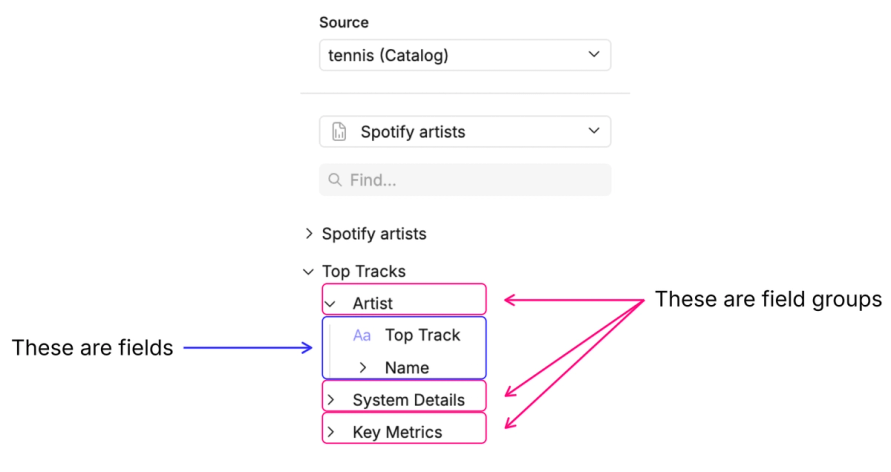
In the canvas UI, field groups will appear as expandable sections that reveal their fields when clicked.