Views
Views are a collection of fields (measures and dimensions) along with metadata, providing a flexible and efficient way to organize and manage your data.
Views can be initialized quickly from database tables or canvas cells. Each view is stored in a separate YAML file, ensuring clarity and ease of customization.
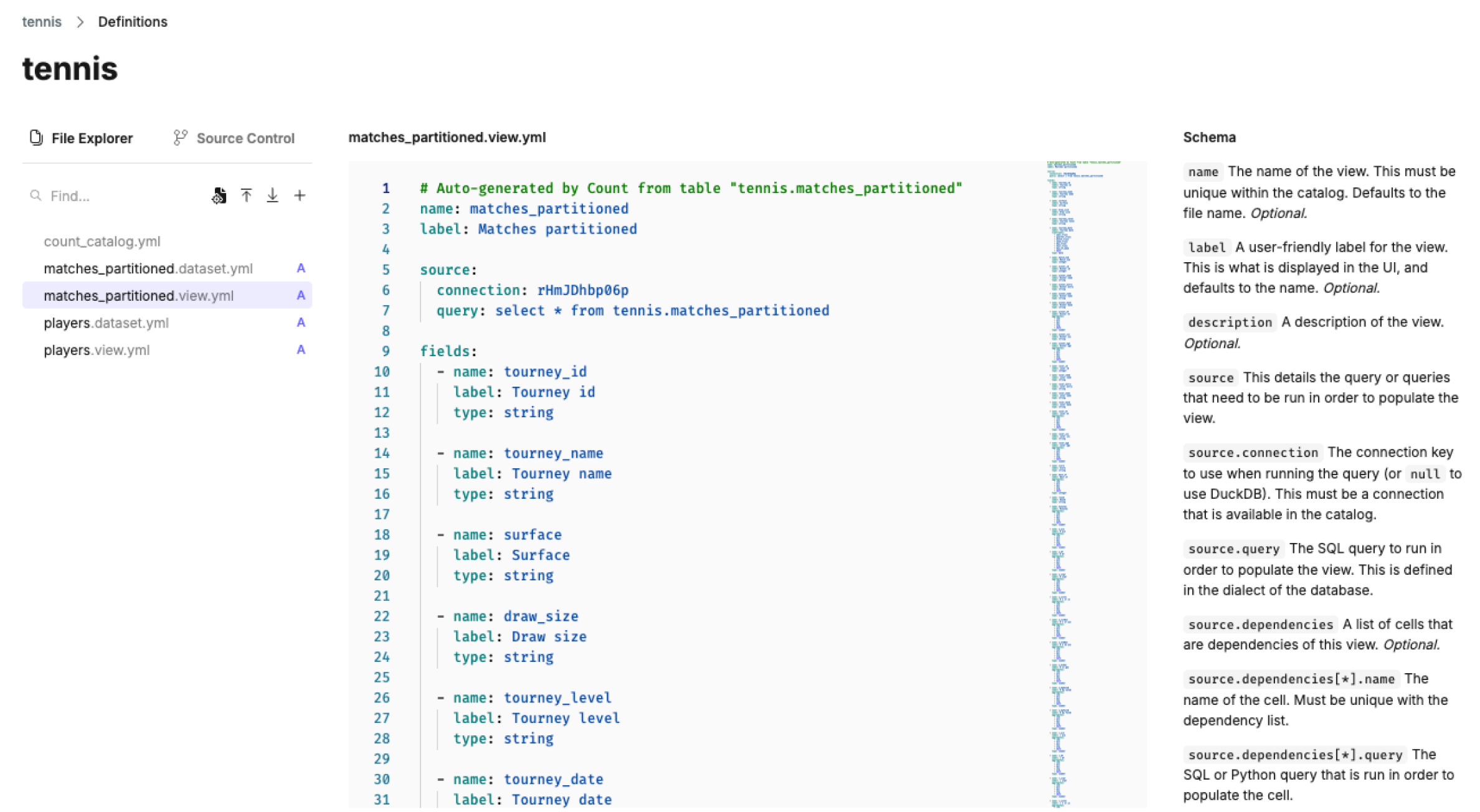
View YAML schema
Views and datasets are build on YAML files. The schema for view definitions is displayed next to the YAML editor in Count. Here is an example of the YAML schema.
# Auto-generated by Count from table "tennis.matches_partitioned"
name: matches_partitioned
label: Matches partitioned

source:
  connection: rHmJDhbp06p
  query: select * from tennis.matches_partitioned

fields:
  - name: tourney_id
    label: Tourney id new
    type: string

  - name: tourney_name
    label: Tourney name
    type: string

  - name: surface
    label: Surface
    type: string

  - name: draw_size
    label: Draw size
    type: string

  - name: tourney_level
    label: Tourney level
    type: string

  - name: tourney_date
    label: Tourney date
    timeframes:
      - year_trunc
      - quarter_trunc
      - month_trunc
      - week_trunc
      - day_trunc
      - hour_trunc
      - day_of_week
      - null
    type: date
See the subpage on Customizing views to learn more.
Building Views
There are two ways to create Views in Count Metrics:
1. From database tables – The fastest and most straightforward method, ideal for well-structured datasets.
2. From canvas cells – A flexible option that allows for multi-database joins and pre-processing within Count.