Editing A Catalog
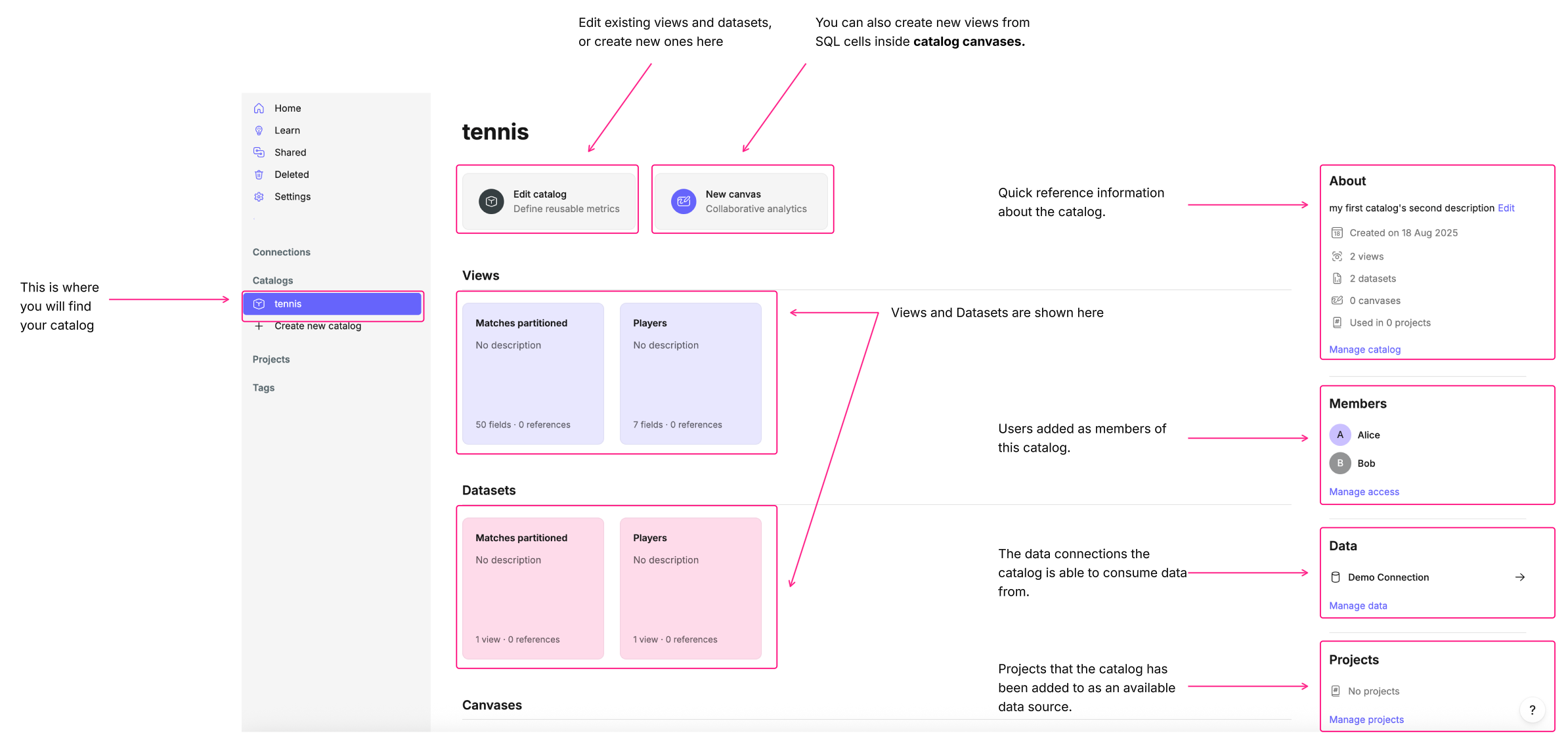
From the catalog’s main page, you can see all of the key information about your catalog at a glance, including its description, members, data sources, and views.
Each area of the page provides entry points to manage different aspects of the catalog.
Updating the About section
Update the catalog description, name or sharing permissions; Delete the catalog or set up Count secrets in the About section of the catalog's main page.
Clicking on Manage catalog allows you to change your catalog name, disable sharing, define Count secrets or delete your catalog.
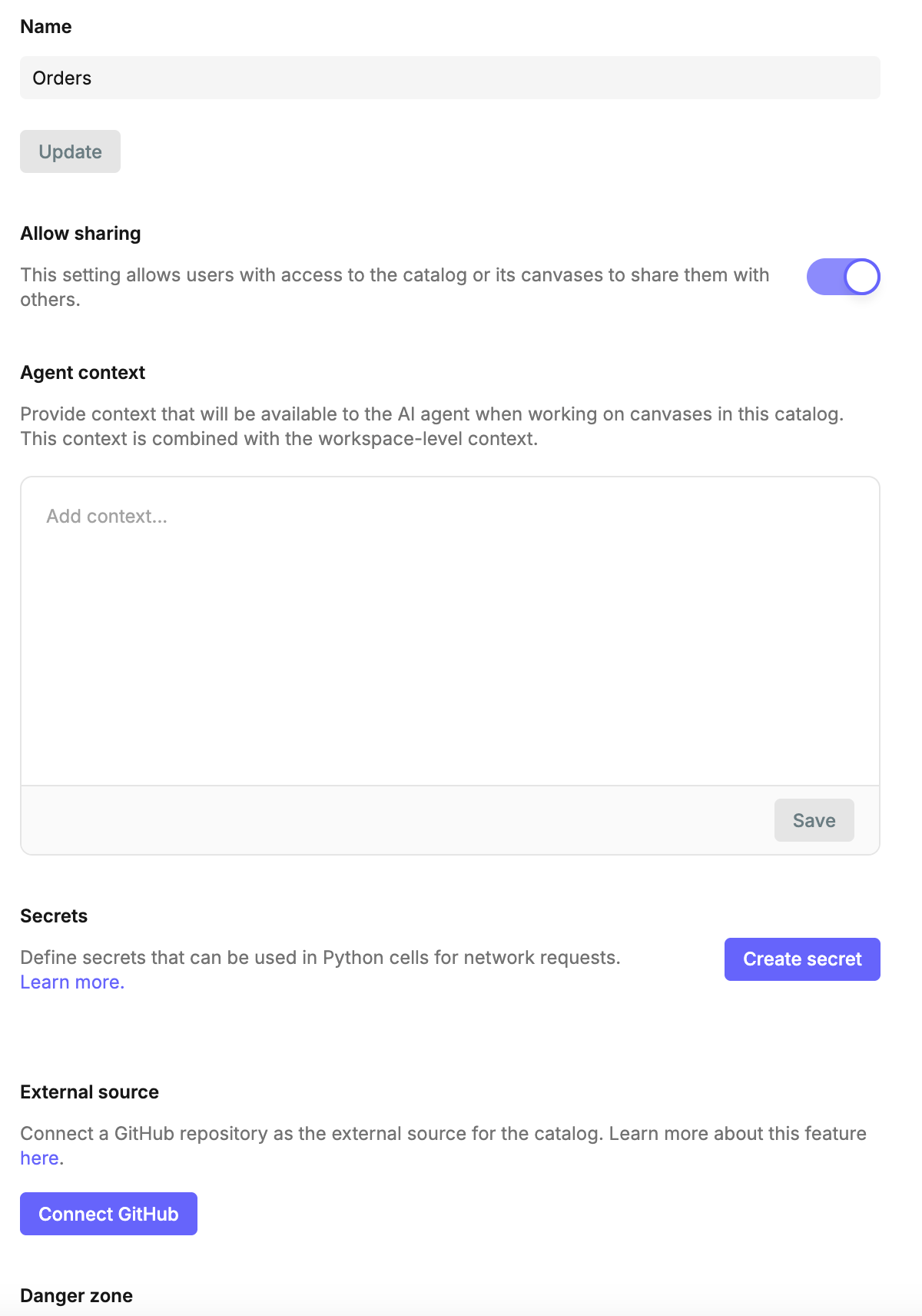
- Name - Rename your catalog. This updates how the catalog appears across projects and canvases.
- Allow sharing - Enable or disable sharing of the catalog and its canvases.
- Agent context (Catalog-level) - Provide context that will be available to the AI agent when working with this catalog. This context is combined with workspace-level and project-level context. Read more about context best practice here.
- Secrets - Define secrets that can be used in Python cells for secure network requests.
- External source - Connect a GitHub repository as the external source for the catalog.
- Delete - Permanently delete the catalog, this action cannot be undone.
Managing Members
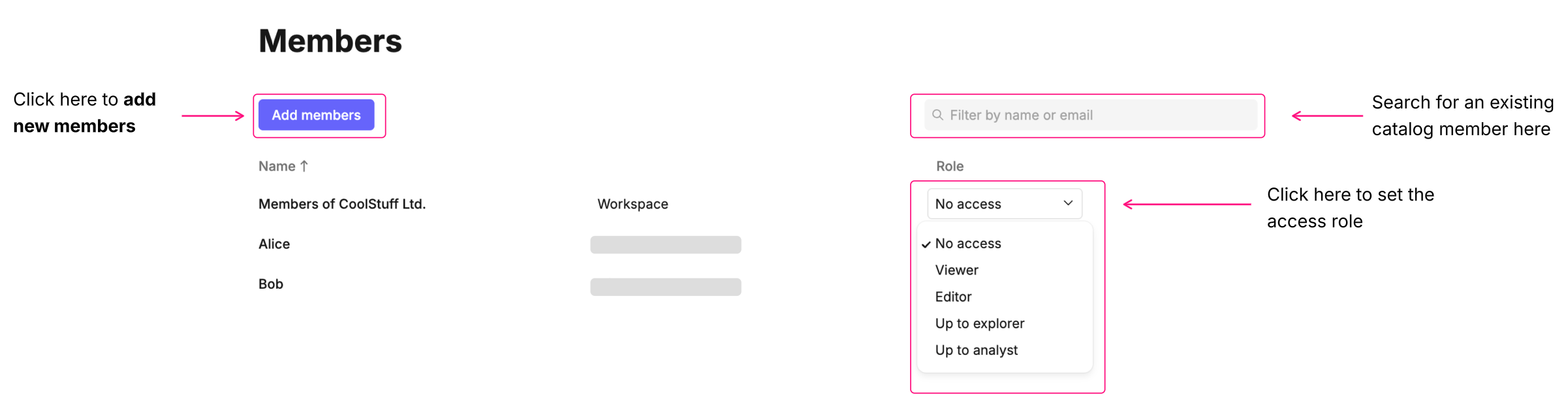
Add or remove workspace users to the catalog by clicking on Manage access.
To add new members to the catalog, click Add members. Adjust access roles by using the dropdown next to each member. Use the search bar to find or filter existing members for easier management.
✅ Note: You don’t need to be a catalog member to access its data, as long as the catalog is assigned to a project you belong to. Catalog members are those who should be able to view, edit, or contribute to the catalog’s configuration.
Managing Data
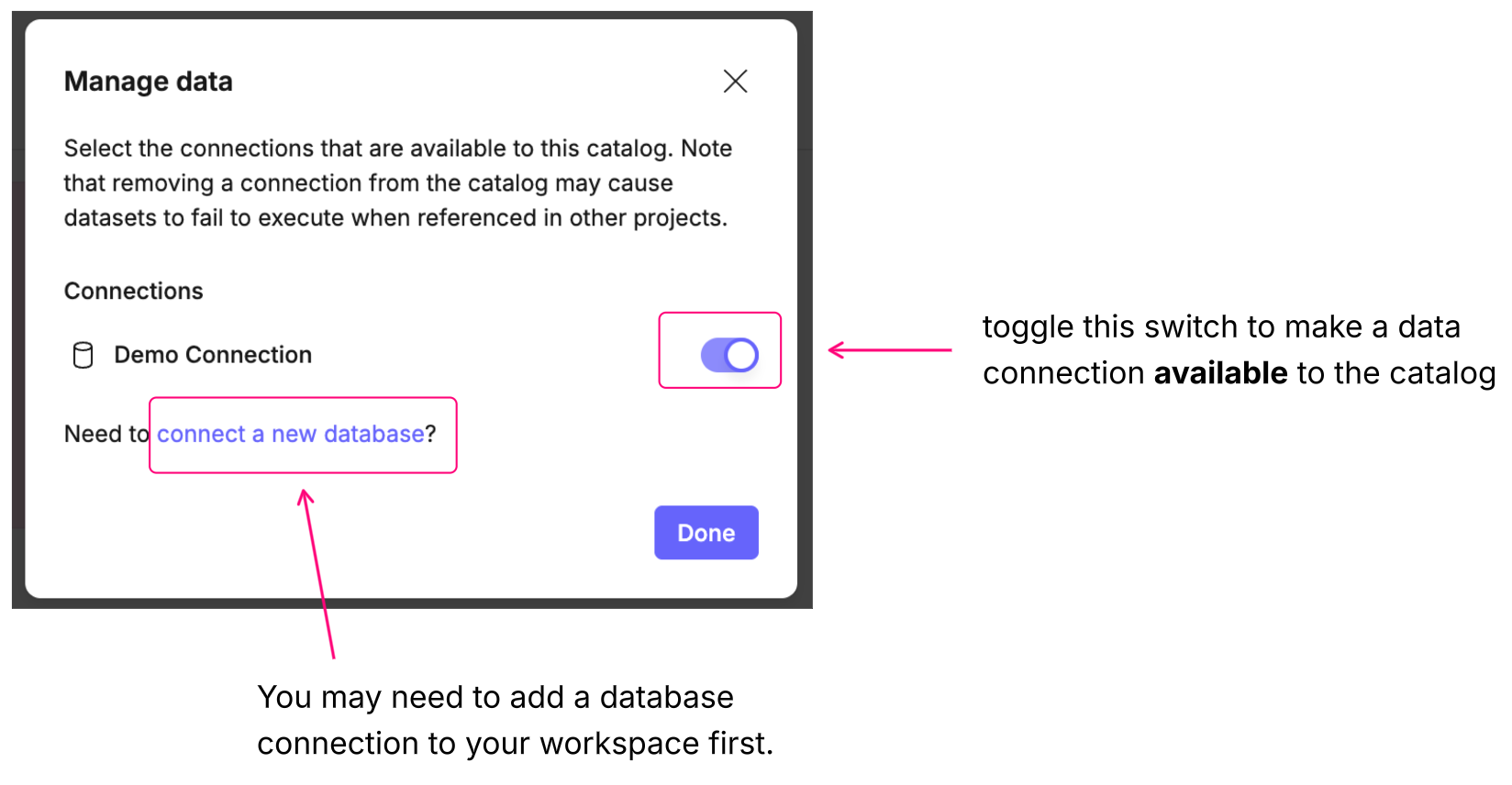
Click on Manage data to add new data sources or remove existing ones.
Adding new data sources is as easy as toggling the switch next to them in the Manage data dialog. You will be able to add all data sources that you have access to as a workspace member. If you can't see the data connection that you want to make available to the catalog, you either don't have access to add it to projects/catalogs or the connection doesn't exist.
Managing Projects
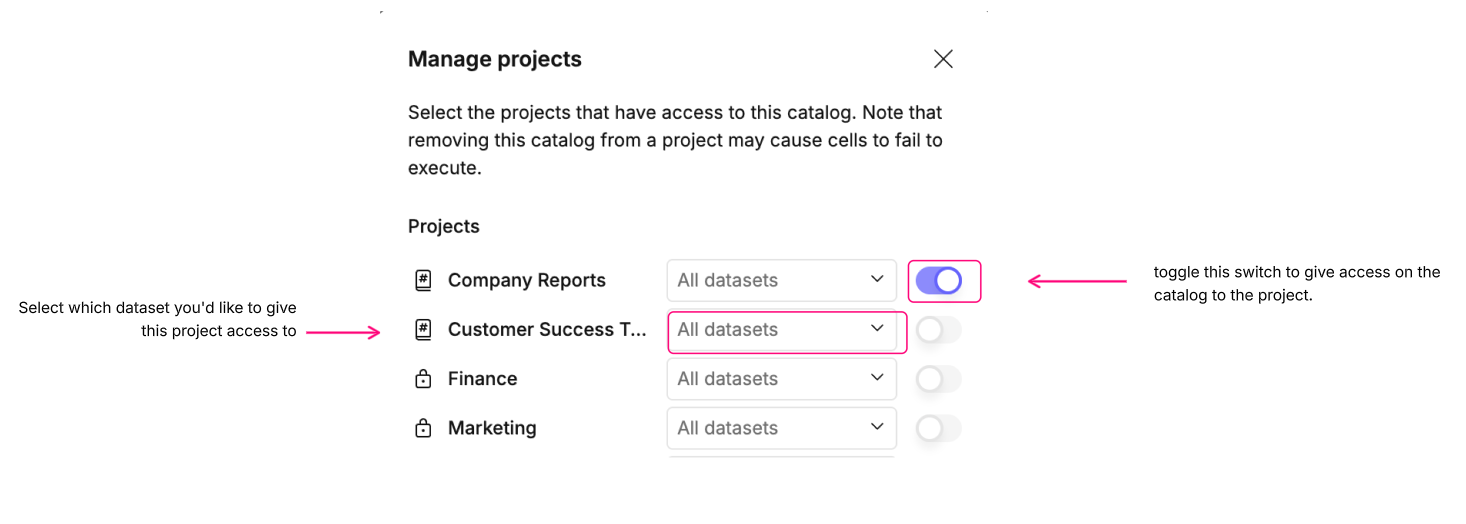
Adding a project to your catalog allows project members to use the catalog in their canvases or in explore mode on that project. Clicking Manage projects allows you to add or remove projects.
You can add or remove a project by toggling the switch next to it in the Manage projects dialog. You can then set which dataset(s) you'd like the given project to have access to.
If you can't see the project you want to add or if it's greyed out, then you might not have the correct access rights on that project or the project might not exist.