Third-party file support
Count supports importing and on-the-fly conversion of third-party files into Count catalog views and datasets. Currently this includes:
The third-party support allows teams to maintain their semantic layer in these products but still use them in Count or to migrate from these products to Count and not have to start from scratch.
Not all features of these third-party files are supported. See the specific details of each file type for limitations.
Overview
There are two separate ways that third-party support is offered for Count Metrics:
- Automatic conversion - third-party files in the catalog repo are converted on-the-fly into Count views and datasets.
- Manual conversion - A one-time import that produces first-party Count YAML files from third-party files, either by uploading a third-party project or converting third-party files that are already present in the repo.
Additionally, Count catalog files can extend third-party files (or other Count files), inheriting their fields and properties while allowing overrides and omissions.
Automatic Conversion
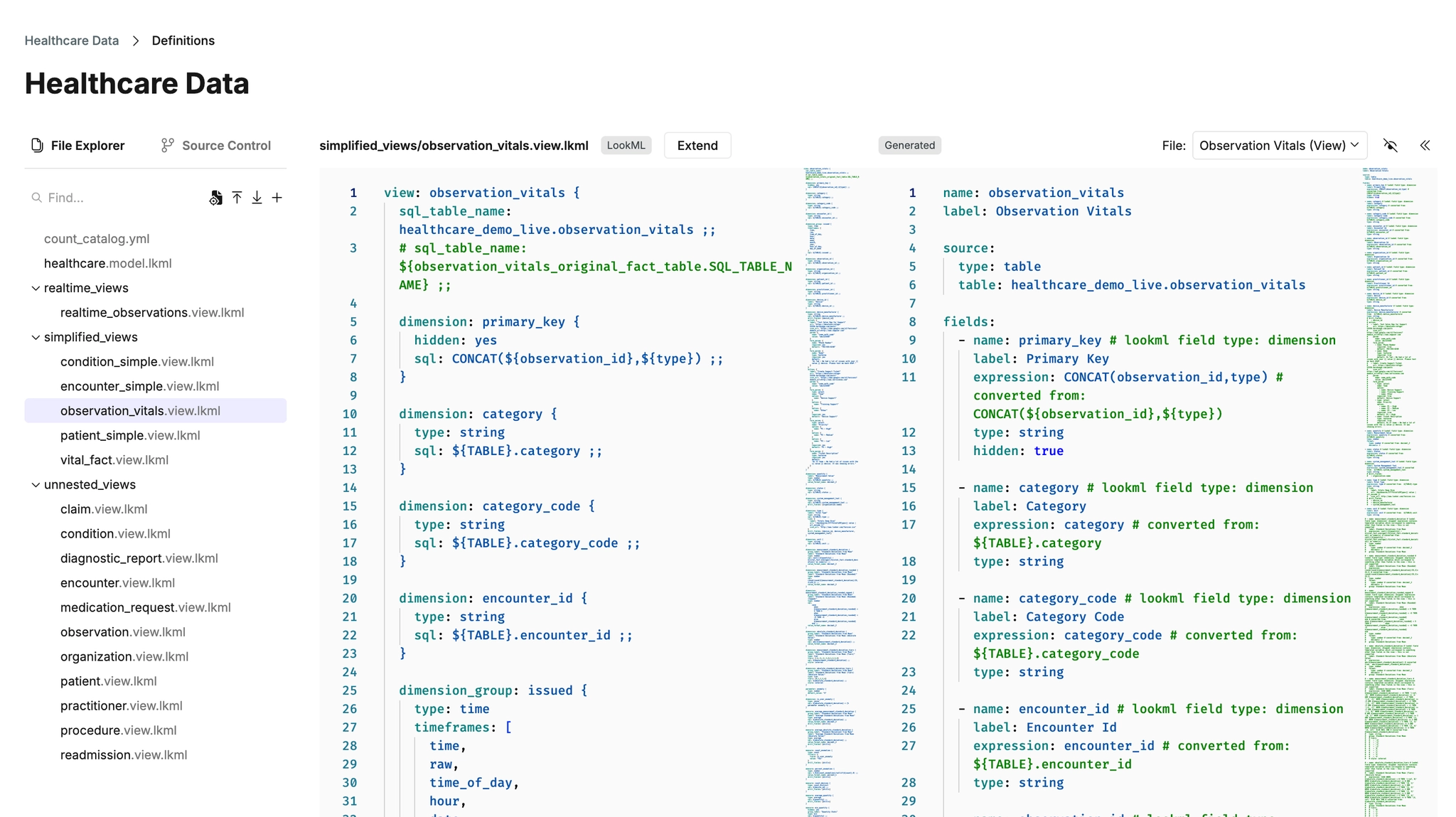
When third-party files (e.g. snowflake.yaml, .view.lkml, .model.lkml, .explore.lkml) are present in a catalog repo, either uploaded directly or included from a connected GitHub repository, they can be automatically converted into Count views and datasets. Whenever these files change, the generated Count files are automatically updated to reflect the latest third-party definitions. This allows teams to maintain their third-party semantic layer files as the source of truth while using Count for exploration and modeling.
Automatic conversion is controlled via the count_catalog.yml config file:
version: 1

lookml:
  connection: my_warehouse # Connection key for LookML data sources
  automatic_conversion:
    enabled: true # Enable on-the-fly conversion
    include: # Optional glob patterns - only convert matching files
      - "views/core/*.view.lkml"
      - "models/main.model.lkml"
    exclude: # Optional glob patterns - skip matching files
      - "views/deprecated/*"

snowflake:
  ... # equivalent settings as for LookML above

osi:
  ... # equivalent settings as for LookML above
New catalogs will be initialised with automatic conversion already enabled with a config file like this:
version: 1

caching:
  duration: 86400 # 24 hours
  schedule: '0 4 * * 1-5' # every weekday at 4am

default_connection: 1C7KkFlKZ35 # replace with your own connection key (find this in the URL when on the connection page)

lookml:
  automatic_conversion:
    enabled: true

osi:
  automatic_conversion:
    enabled: true

snowflake:
  automatic_conversion:
    enabled: true
How It Works
- LookML:
.view.lkmlfiles are converted to Count views (.view.yml).model.lkmland.explore.lkmlfiles are converted to Count datasets (.dataset.yml)- view refinements (views whose names start with "+") are merged with their base view automatically
- Snowflake:
- Each table in a YAML file is converted into a Count view
- Each YAML file is converted into a Count dataset
- OSI:
- Each dataset in a semantic model is converted into a Count view
- Each semantic model is converted to a Count dataset
- Converted files are generated on the fly and appear in the catalog editor as read-only generated files, tagged with their source.
- If a first-party Count file exists with the same name as a generated file, the first-party file takes priority and the generated file is marked as "Overridden".
Include/Exclude Patterns
The include and exclude arrays accept glob patterns matched against file paths in the repo:
- If `include` is specified, only files matching at least one include pattern are converted.
- If `exclude` is specified, files matching any exclude pattern are skipped, even if they match an include pattern.
- If neither is specified, all third-party files are converted.
Manual Conversion
Manual conversion produces first-party Count YAML files from uploaded third-party files. Unlike automatic conversion, the resulting files are regular catalog files that you maintain and can edit directly. It should be noted that manual conversion (unlike automatic conversion) does not keep the Count files in sync: if the original third-party files change, the manually converted Count files will not update automatically. This approach is best for teams who want to migrate their third-party definitions into Count and then maintain them directly in Count going forward.
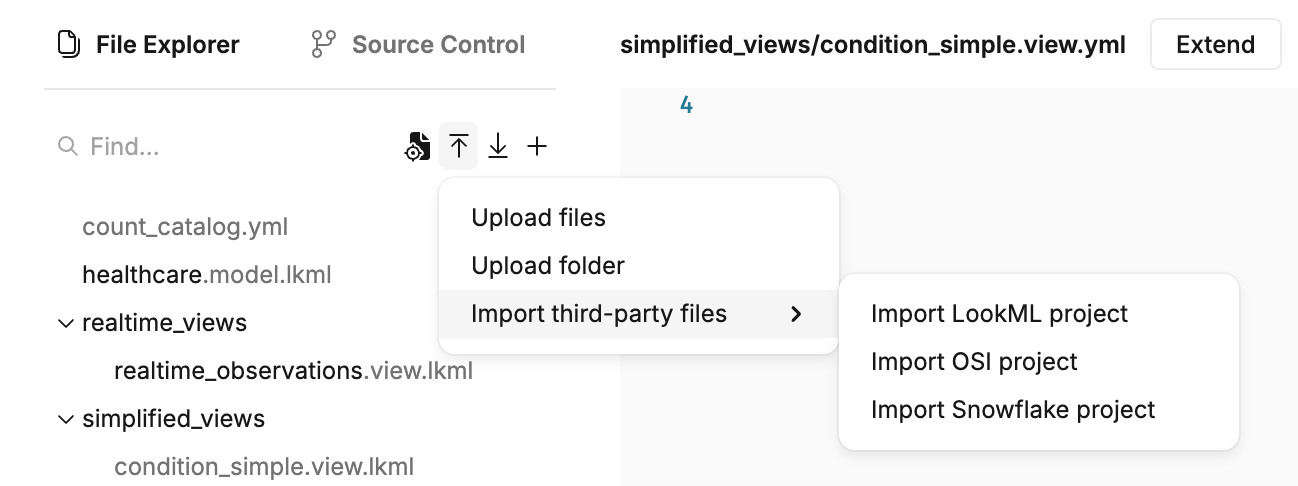
Import third-party files
Upload a collection of third-party files through the catalog editor's "Import third-party files" actions. This parses the uploaded files, converts them, and presents a selection UI where you can choose which views and datasets to create.
Convert Existing Files
If third-party files are already present in the repo (e.g. from a connected GitHub repository), use the "Convert ... files" action in the catalog editor to convert them into first-party Count files. A modal allows you to review and select which files to convert.
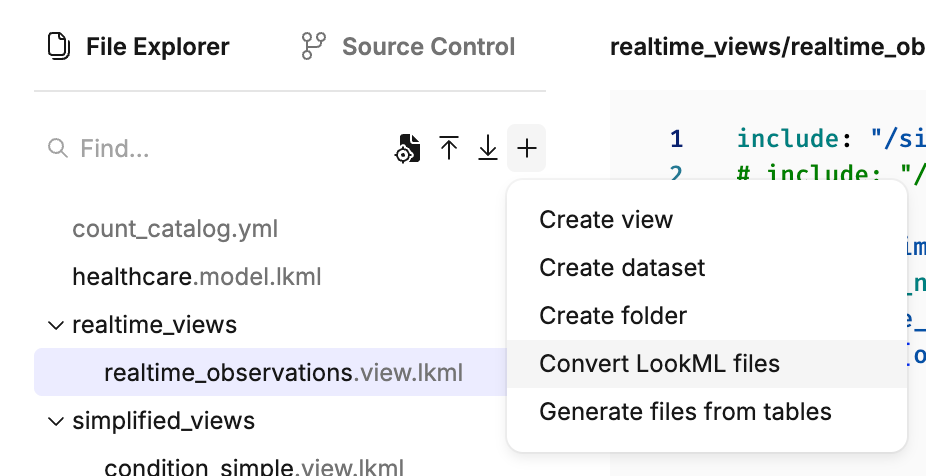
When files are manually converted, automatic conversion is disabled for those files to prevent duplicates (it can however be re-enabled if needed by editing the count_catalog.yml configuration).
Extending Files
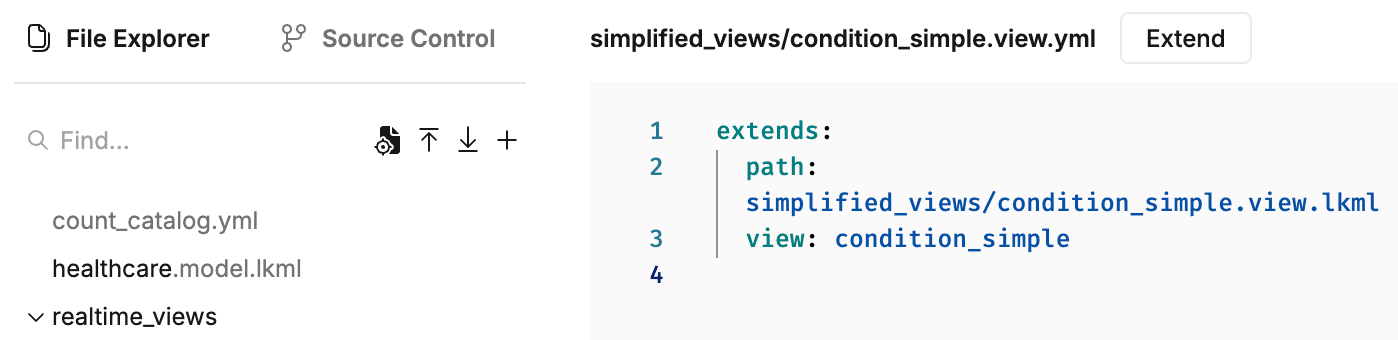
Count catalog files can extend other files using the extends property. Files that can be extended include both third-party files and first-party Count YAML files. See here for more information about extending Count YAML files.
Extending third-party files allows you to reuse and customize third-party definitions without modifying the original third-party files. For LookML specifically, while views without a data source (i.e. no sql_table_name or derived_table) can't be converted as they are, they can still be extended in this way.
Extending a View
# my_extended_view.view.yml
extends:
  path: base_view.view.lkml # Path to base file
  view: users # Required for third-party files as they can contain multiple views
  omit_properties: # Optional: exclude specific properties from base
    - caching
    - label
  omit_fields: # Optional: exclude specific fields from base
    - deprecated_field
    - internal_id

# Properties defined here override base properties.
# Fields defined here override base fields with the same name.
# Base fields not listed in omit_fields are inherited.
name: my_custom_view
fields:
  - name: full_name
    type: string
    expression: concat(first_name, ' ', last_name)
Extending a Dataset
# my_extended_dataset.dataset.yml
extends:
  path: base_explore.explore.lkml # Path to base file
  dataset: order_items # Required for third-party files as they can contain multiple datasets
  omit_properties: # Optional: exclude specific properties from base
    - description
    - label
  omit_joins: # Optional: exclude specific joins from base
    - deprecated_view

name: my_custom_dataset