Public API
#Overview
The Count API is REST-based, uses standard HTTP methods, accepts JSON-encoded request bodies and returns JSON-encoded responses. All endpoints follow RESTful conventions for resource manipulation and use standard HTTP status codes to indicate success or failure.
The API is available on Scale plans and higher.
To use the API, first create a service account and generate an API key (see below). Include your API key as a bearer token in the Authorization header of each request:
Authorization: Bearer YOUR_API_KEY#Service accounts
View the service accounts for your workspace in the API tab of your workspace settings:

After creating a service account, an API key will be displayed for you to download.
API keys are only ever shown once - make sure you save it.
Service accounts are granted permissions like other members of your workspace - ensure that they have appropriate access to the required resources.
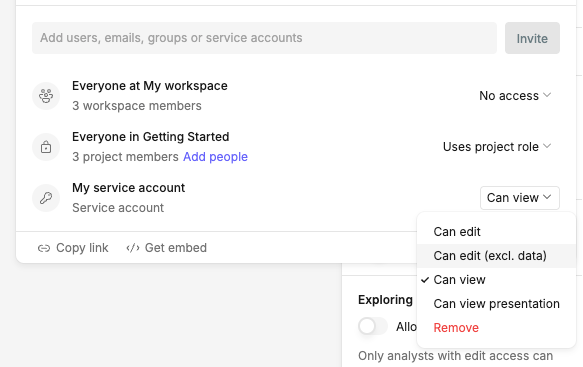
To change the workspace role for a service account, select it from the service accounts list:
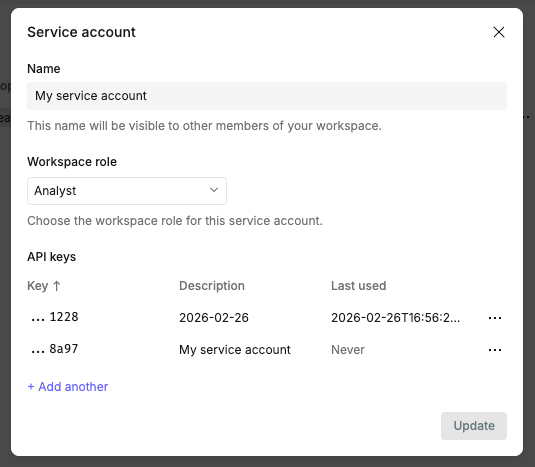
If a service account or API key is deleted, that key or keys are immediately revoked and cannot be restored. To safely roll credentials without interruption, create a new API key and start using it before deleting the old one.
#API responses
Responses are returned as JSON-encoded strings with the form:
// Success response
{
  success: true,
  request_id: 'abc123',
  result: {
    canvas_key: 'def456',
  }
}// Error response
{
success: false,
request_id: 'abc13',
code: 'invalid-request',
message: 'Please provide a valid canvas key',
status: 400
}Response status codes follow HTTP conventions to represent the success or failure of an API request - the 2xx range represents a successful response, the 4xx range represents a client error, and the 5xx range represents a server error.
#Rate limiting
API requests are rate limited to ensure system stability. Check the rate limit headers returned in each response to monitor your usage:
RateLimit-Limit- Maximum requests per windowRateLimit-Remaining- Remaining requests in this windowRateLimit-Reset- Time when limit resetsRetry-After- How long until the limit resets
#API methods
View the available API methods from the reference page in the API tab of your workspace settings.
Click on any method to build requests interactively:
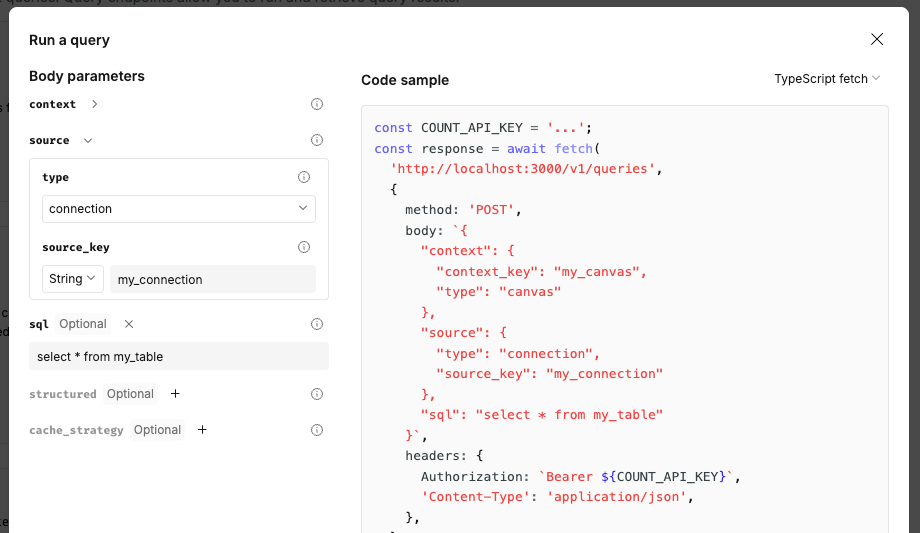
View the OpenAPI spec for your region at:
Last updated: 24/07/26