Entra ID
To connect Count to Entra ID, you'll need to be a Count workspace owner, and have SSO enabled for your workspace.
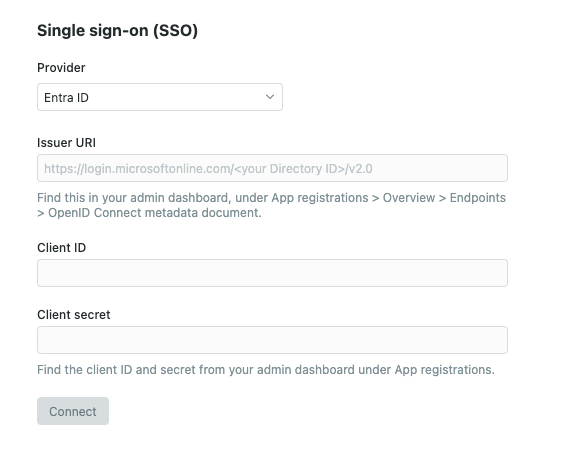
Head to the Count workspace settings, select the SSO tab and select Entra ID - you'll need to provide an Issuer URI, Client ID, and Client secret.
#Create an app registration
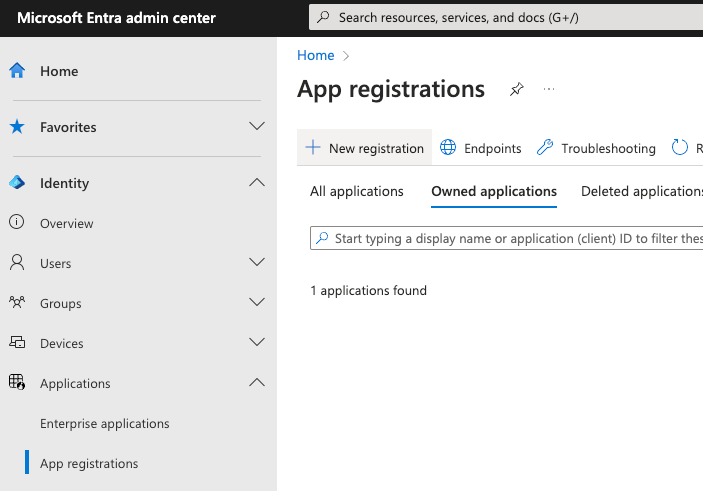
In Entra ID, head to Applications > App registrations and select New registration:
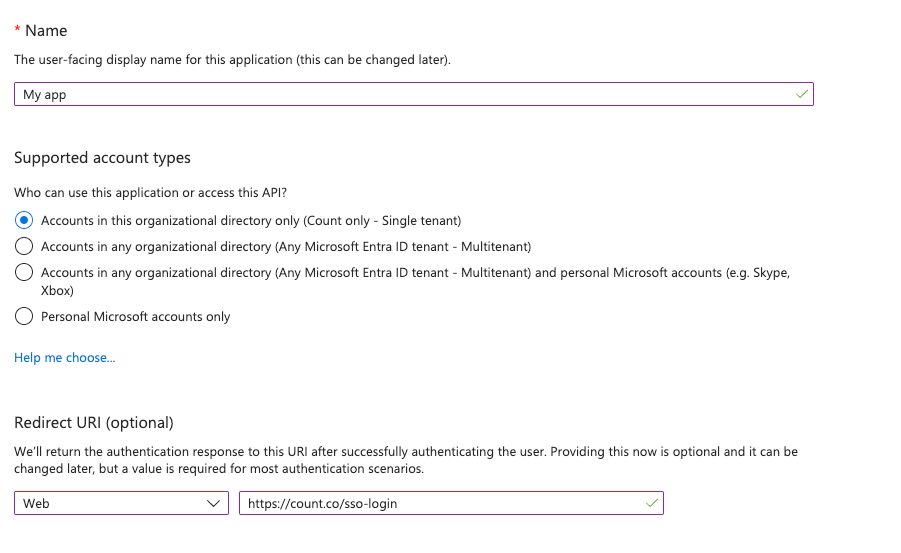
Give your app a recognisable name, and ensure that the Redirect URI is set to https://app.count.co/sso-login then click Register.
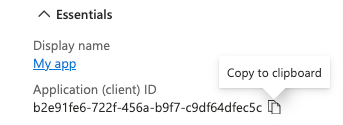
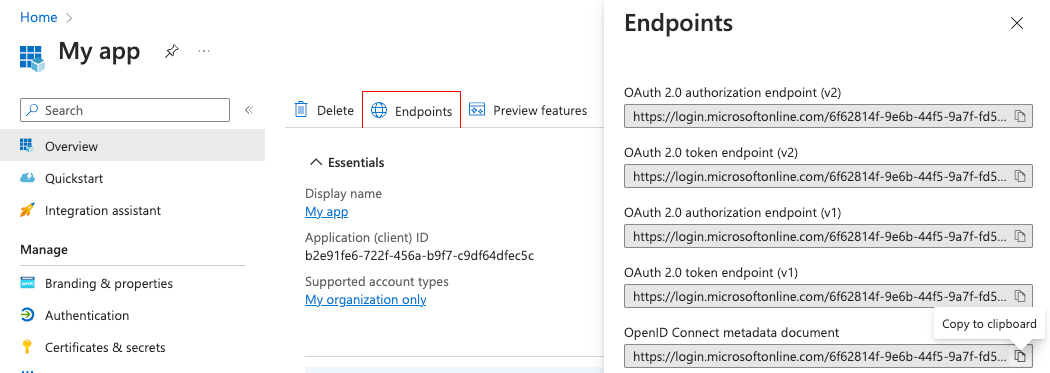
Find your Client ID from the overview page:
Find your Issuer URI by selecting Endpoints and copying the URI in OpenID Connect metadata document:
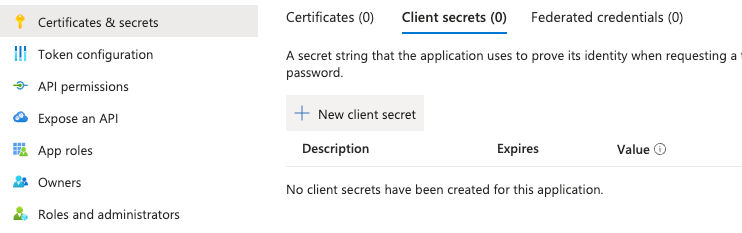
Generate a Client secret from the Certificates & secrets menu by selecting New client secret:
Last updated: 03/08/26