Agent Context
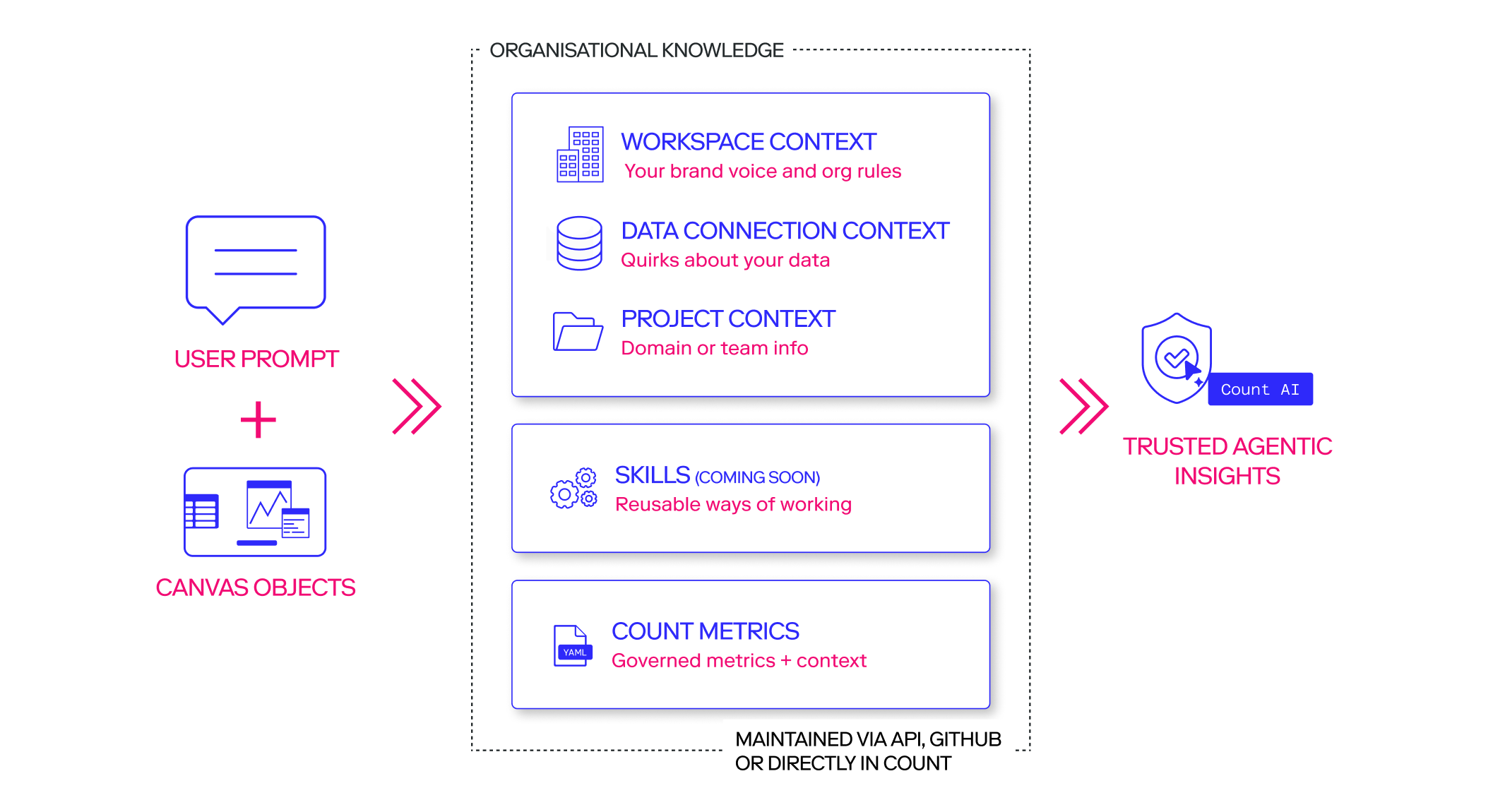
Count's agents combine context from several sources to answer your questions well. Setting it up properly means agents give consistent, checkable answers without you repeating yourself in every prompt.
#Where context lives
Context is organized in a hierarchy: workspace, connection, and project. Each level is owned by different people and changes at a different pace, so where you put a rule matters as much as how you write it.
| Workspace | Connection | Project | Canvas | |
|---|---|---|---|---|
| Owned by | Workspace owners and business leaders | Data team | Project/Department leads | Whoever's in the canvas |
| Covers | Organization-wide policy, brand, and standing rules | Data quirks, definitions, and structure for a specific source | Logic specific to a team, department, or piece of work | Ad hoc notes, files, and whatever's selected |
| Applies to | Everything in the workspace | Wherever that connection is used, regardless of project | A single project | A single canvas |
#What context controls
Context can cover tone and brand, business definitions, access and governance, and output preferences from brand formatting and style, through to which fields to use for a given metric, what an agent is and isn't allowed to touch, and how it should label its own work.
#What makes good context
Before rolling a piece of context out more widely, check it against a few questions:
- Actionable? Does this actually change what the agent does? You can test this within a query in side-by-side agents in the canvas.
- Unambiguous? Could two reasonable people interpret this differently?
- Current? Is this still true and verifiable?
- Scoped correctly? Would this be more effective and useful at a different level of the context?
- Minimal? Is there a shorter, more concise articulation that doesn't sacrifice clarity?
- Testable? Can you prove a positive improvement in side-by-side testing?
#Examples
- Workspace "All financial figures are reported in GBP, and our fiscal year runs from April to March."
- Connection "In the Snowflake warehouse, use dim_customer.customer_id for all customer joins, not raw_customers.id."
- Project "For this campaign analysis, a bounce is any session under 5 seconds, not the default 30-second definition."
#Building & maintaining context
There are two ways to create or update context:
- In Count directly fastest for anything you'll only set once or twice.
- Via the API sync it automatically whenever it needs to update from your own systems.
Before rolling a rule out at the workspace or project level, context can be tested in a canvas. Refine it there until the agent responds the way you want, then promote it up.
Last updated: 11/09/26